
Hydration apps have a funny failure mode: they make drinking water feel like data entry. Open the app, pick the vessel size, confirm the ounces, dismiss the badge. By the third glass you've stopped logging, and by Friday you've stopped drinking. What actually works is the thing nurses do on ward charts — a tick mark per glass, nothing more.
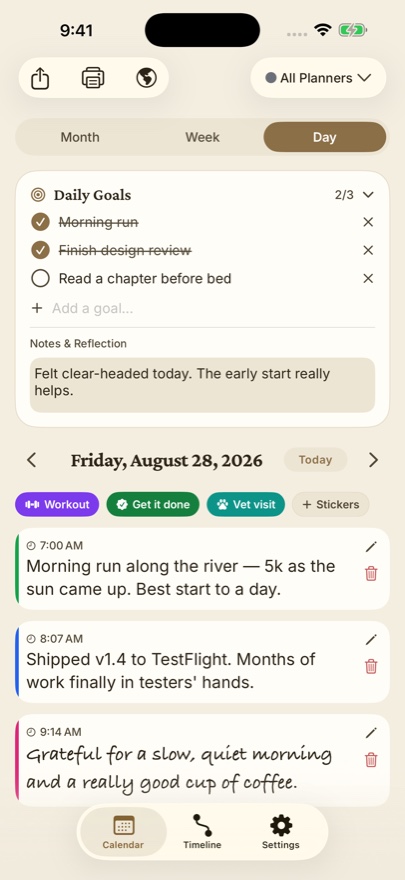
Dayleaf's sticker stamps are tick marks with a calendar behind them. Here's the whole setup.
One minute of setup
- Dayleaf already ships with a set of stickers, but a personal one reads better. On iPhone: any day → + Stickers → My sticker. Name it Water, choose the drop icon, pick blue.
- On the watch: long-press the face → Edit → pick a slot → Dayleaf → Sticker Stamp → Water. Your own stickers and the ones you use most sit near the top of the list.
- Put the complication somewhere you'll actually see — a corner slot on the Modular face, or the big rectangle on Infograph Modular.
The daily rhythm
Finish a glass, tap the drop. Dayleaf stamps one Water on today and shows the count on your wrist: ×1 … ×8. The tap takes less time than reading this sentence. If you'd rather not look at the screen at all, tap once, then Double Tap (pinch twice) for each subsequent glass — the watch stays on the Water row and counts.
Why the calendar matters
A hydration app shows you today. A calendar shows you the pattern. Scroll back a month and the ×8 days and the ×2 days sit next to each other; you'll spot that travel days and meeting-heavy days are where it slips. Pair it with a daily goal — 8 glasses — and tick it off in the widget when the tally gets there.
Variations that use the same trick
- Coffee, if the goal is fewer rather than more. Seeing Coffee ×5 on a Wednesday is a quiet argument.
- Steps outside — one stamp per walk, not per step. Apple Health counts the steps; you count the decisions.
- Supplements or medication — a stamp is a timestamp, so "did I already take it?" has an answer.
The principle is the same in every case: the log should cost less than the thing being logged. A tap costs nothing.
