
Ask anyone who has quit something how it went and they'll describe the first two weeks in urges: the 10 a.m. cigarette, the 3 p.m. cookie, the phone that somehow ends up in your hand. Addiction counsellors teach a technique called urge surfing — you don't fight the wave, you notice it, name it, and ride it out. The noticing is the work. The problem is that noticing leaves no trace, so on day nine you can't tell whether things are getting better.
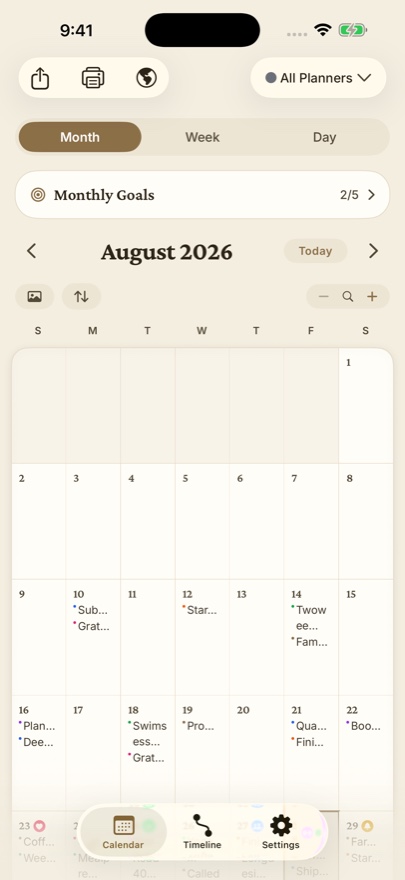
A sticker stamp gives the noticing a trace, at the cost of one tap.
Set it up as a witness, not a scoreboard
- Make a sticker named for the urge, not the failure: Craving, Urge, Pull. Choose a calm colour. This is a log of moments you handled, not a tally of sins.
- Add it to your Apple Watch face as a Dayleaf → Sticker Stamp complication, or to your iPhone Home Screen as a Sticker Stamp widget — long-press the Home Screen, tap +, search Dayleaf, choose the sticker in the widget's settings.
- When the wave comes: tap. Then do whatever your plan says — the walk, the water, the 90-second wait.
What the calendar shows after two weeks
Day 1 says Craving ×11. Day 6 says ×7. Day 13 says ×3. Nobody told you it was working; the calendar did. That downward slope is the single most motivating thing in recovery literature, and almost no one has it in front of them because the record lives in memory, and memory is kind to bad days and cruel to good ones.
Keep it private, keep it yours
This is the kind of log people rightly don't want in a cloud dashboard. Dayleaf keeps entries on your device, backs up only to your own iCloud, and never sees the content. There's no streak notification shaming you, no social feature. The sticker and its count are between you and your calendar.
When it's not one thing
People quitting several things at once make one sticker per urge and stamp whichever one showed up. The timeline's sticker filter lets you look at each alone. But if that sounds like a lot, start with one — the technique's power comes from how small it is.
