
There's a productivity ritual making the rounds on YouTube: wear a mechanical tally counter on your finger, and every time you notice your attention drift — a phone glance, a tab you didn't mean to open, a thought that wandered off — click it. At the end of the day the little dial tells you the truth. The number is almost always higher than you'd guess, and that's the point: you can't shrink what you don't count.
It works because it's honest and effortless. It fails because it's one more object to wear, charge nothing, lose in a drawer, and because the number dies when you reset it. Here's the same practice with a device you already wear, and a number that goes into your journal instead of into the void.
The setup: one sticker, one complication, one gesture
- In Dayleaf on your iPhone, open any day and tap + Stickers → My sticker. Name it Distraction, pick the icon and colour you'll recognize at a glance.
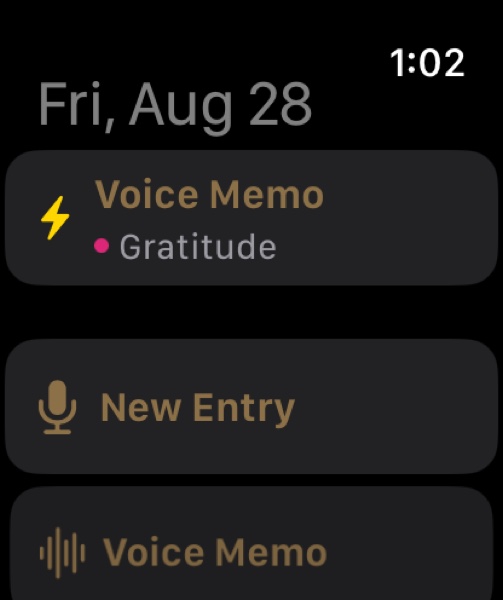
- On your Apple Watch, long-press the face, tap Edit, choose a complication slot, and pick Dayleaf → Sticker Stamp. In the options list, your own stickers and the ones you use most sit near the top — pick Distraction.
- That's it. Each tap of the complication stamps one Distraction on today. But the real trick is the next step.
The gesture: pinch, don't tap
Tap the complication once and Dayleaf opens on your wrist with the Distraction row showing today's count. From then on, you don't need to touch the screen at all. Double Tap — pinching your index finger and thumb together twice, the built-in gesture on Apple Watch Series 9, Ultra 2 and later — stamps another one. Your other hand can stay on the keyboard. Your eyes can stay on the page. The count ticks up: ×1, ×2, ×7.
Why this beats the ring
- The number survives the day. On the calendar, that date shows a small Distraction ×14 pill. Next Tuesday shows ×9. The month becomes a chart you didn't have to draw.
- It sits next to the why. Write one line under the count — "Slack was open all morning" — and the timeline holds the number and the cause together.
- Search and filter. Tap the Distraction chip on the timeline and you get every day you counted, in order, with the tallies. Try that with a ring.
What to do with the number
Don't try to hit zero. Cal Newport's deep-work advice is to notice the pull and let it pass, and noticing is exactly what the stamp is: a tiny, physical acknowledgment that the drift happened, followed by a return. Over two or three weeks most people see the count fall on its own, simply because counting makes the pattern visible. Weekly, open the Timeline, filter by the sticker, and look for the shape: which weekday is worst, whether mornings or afternoons drift more, what changed on the low days.
If you want a companion metric, add a second sticker — Deep block — and stamp it after each uninterrupted 25 or 50 minutes. Two counts, one day, side by side. The ratio is the most honest productivity score you'll ever keep.
