
Dayleaf 2.6 is the biggest update since 2.0, and it is about the page itself: how a month looks, how a long entry reads, and how the journal lays itself out on a screen that is suddenly twice as wide. It is on the App Store and Google Play today. The Mac update followed a few days later.
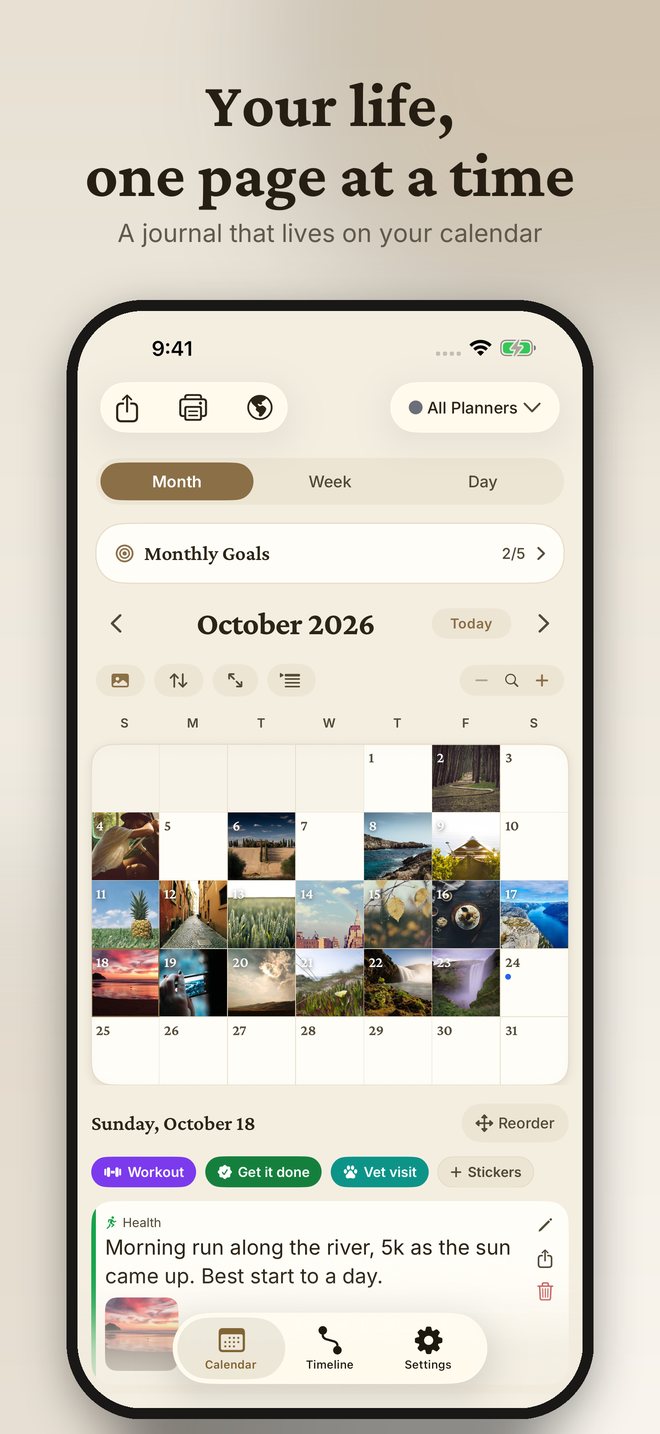
📅 Month view, reimagined
Every entry on the month grid is now a small colour chip in its planner's colour, so a busy month reads like a wall calendar instead of a list of bullets and ellipses. Chips that do not fit glide slowly to show the rest of the line, and if you would rather they stayed still there is a button above the calendar and a switch in Settings, Appearance. A new immersive mode hides everything but the calendar, the way Google Calendar fills the screen, so the month is the whole page.
📱 Made for iPhone Duo, iPad and Mac
On a wide screen the calendar and the day's page sit side by side: tap a day and it opens next to the month, not on top of it. The grid fills the display, the day page scrolls on its own, and a handle on the divider tucks the day page away when you want the calendar to have the whole window. Tap a day to bring it back. The same layout comes to Android foldables and tablets. iPhone Duo ships on October 23 and Dayleaf is ready for it on day one, in both poses.
✍️ Write it like an article
New in Pro: blog-post entries. The editor now formats as you write, the way Notes does. Headings, bold, lists, quotes, links and photos go right where the cursor is, from the toolbar above the keyboard, and the day page shows the entry as an article. Underneath it is plain Markdown, which is why it travels cleanly into the Markdown export and to your agents.
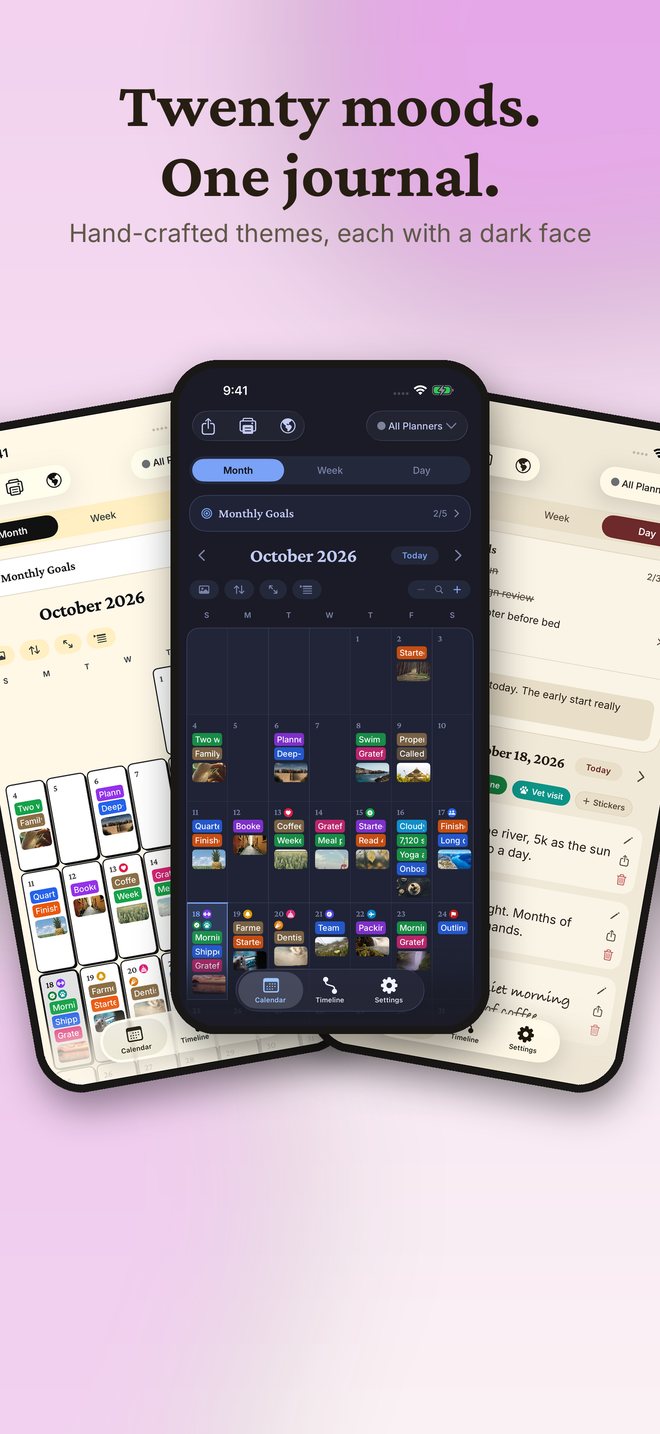
🎨 Six new themes, twenty in all
Arctic, Mocha, Academia, Neon, Marker and Seasons. Marker stamps the month in hard-shadow tiles, Neon glows in the dark, Academia is ruled paper and ink, and Seasons changes its palette with the time of year, so the journal you open in January is not the one you opened in July. Every theme has a light and a dark face, and you can try any of them on before deciding.
🏆 A leaderboard for everyone
The weekly leaderboard on The World Is Leafing now ranks every writer, account or not. Sign up free to put your name next to your number.
⚙️ Settings, tidied
Settings is a short list of what you use daily. Backup, agents, import and export and the rest live one tap deeper, grouped the way a messaging app groups them, so nothing is lost and nothing is in the way.
🔧 Fixes
Entries written by agents now reach every one of your devices, and sync no longer re-sends old deletions. On Android, 2.6 also brings the features iPhone got in 2.5: the leaderboard, friend invites, share cards, Places and Year in Review.
