
Ryder Carroll's Bullet Journal Method introduced millions to "collections" — dedicated sections for different threads of life. The insight: separating streams reduces noise, but they still belong in one book. That's exactly how Dayleaf's planners work.
The classic split
- Journal — the daily line, the default home.
- Work — wins, decisions, the story you'll need at review time.
- Books — one entry per finished book, on the day you finished it.
- Travel — trips become photo-filled chapters.
- Health — runs, sleep, how your body actually felt.
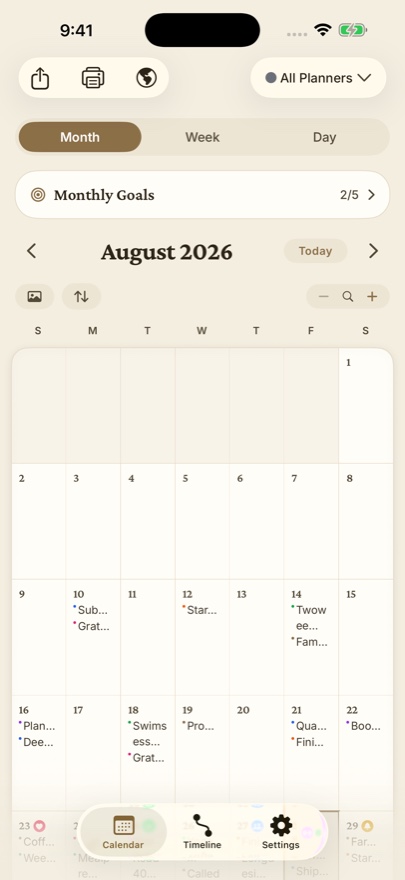
Together or apart — your choice per glance
The planner switcher shows All Planners woven together (each entry color-dotted by its planner) or any single one alone. Your work review sees only Work; your December look-back sees everything. Filter by planner in Timeline and search too.
Make each planner feel like its own notebook
Give each planner its own color and icon — and with Pro, its own font and text size. Books in a serif, Gratitude in handwriting, Work in something sober. Your eye learns the difference before you read a word.
📚 Three planners are free — a Journal/Work/Personal split covers most lives. Pro removes the limit for the full collection habit.
